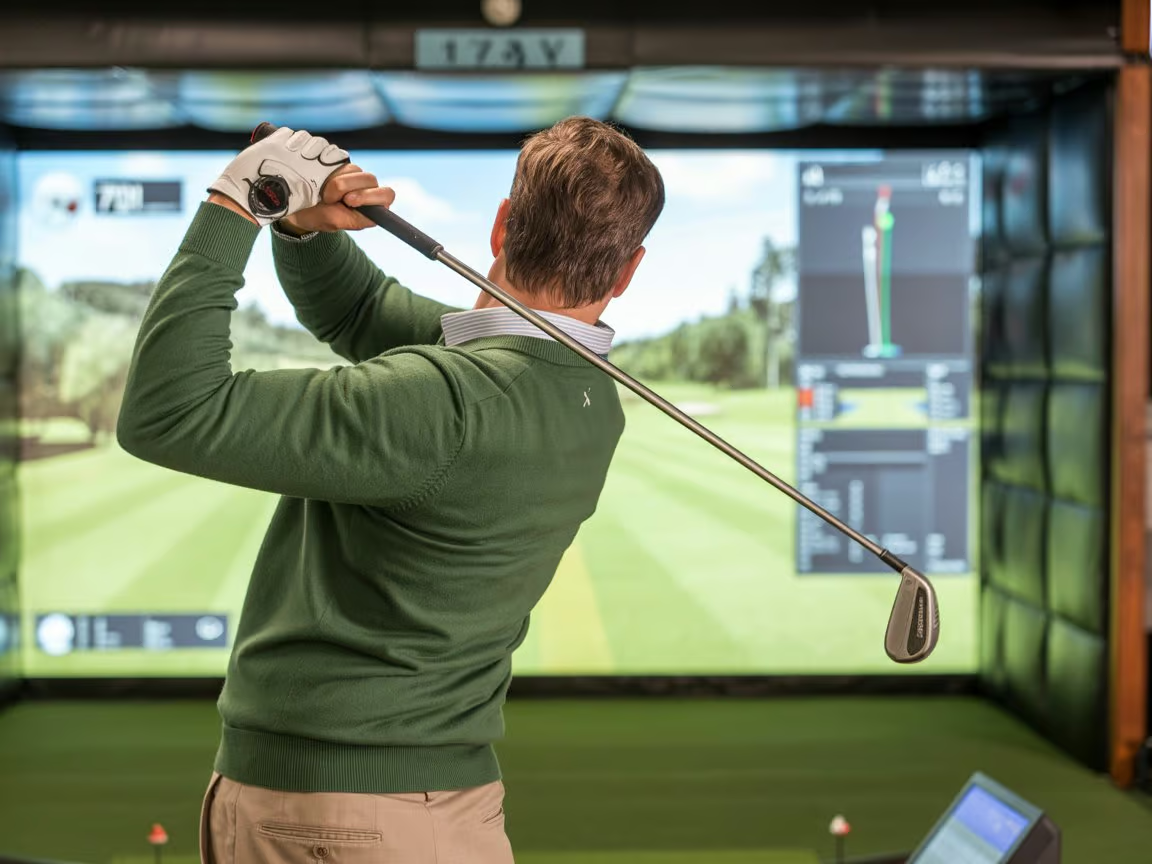

Stepping into a golf simulator for the first time can feel overwhelming. Between the technology, swing mechanics, and unfamiliar equipment, many beginner golfers in Cleveland wonder if they’re ready for indoor golf training. The good news? Golf simulators offer one of the most beginner-friendly environments to learn the game. Unlike crowded driving ranges or intimidating country clubs, simulator facilities in Beachwood provide a private, climate-controlled space where you can practice at your own pace year-round. This guide covers everything you need to know before your first simulator session—from what to wear and bring, to how the technology works and what results to expect.
What Should Beginner Golfs Expect at a Simulator Facility?
Beginner golfers can expect a welcoming, low-pressure environment at simulator facilities. Here’s what your first session typically includes:
- Climate-controlled indoor space with year-round access regardless of Cleveland weather
- Advanced tracking technology (like TrackMan) that measures every swing with precise data
- Private hitting bays where you can practice without feeling watched or rushed
- Professional instruction options from PGA-certified coaches like Drew Pierson
- Free club rentals and professional custom club fitting
- Immediate feedback on ball speed, launch angle, distance, and accuracy
Typical beginner sessions run 30- 60 minutes and focus on fundamentals rather than perfection.
Understanding Golf Simulator Technology
Now that you understand what to expect, let’s break down how the technology actually works and why it’s so helpful for beginners. [1]
How TrackMan and Launch Monitors Work
One thing beginner golfers should know before their first simulator session: the technology isn’t as complicated as it looks. TrackMan uses radar to track your club and ball, measuring speed, spin, angle, and direction in real time.
You get instant feedback on what went wrong with each shot. The screen displays metrics like ball speed, carry distance, and club path, but you don’t need to understand every number. Your instructor will focus on the two or three metrics that matter most for your current skill level.
Virtual Courses vs. Practice Modes
Most simulators offer two options: playing virtual rounds on famous courses or using practice mode at a driving range. As a beginner, start with practice mode. You can hit ball after ball without worrying about score or how long you’re taking. Virtual courses are fun, but save them for after you’ve spent a few sessions building a repeatable swing

What to Wear and Bring to Your First Session
Dress Code and Footwear
Simulator facilities are more relaxed than traditional golf clubs. Wear comfortable athletic clothing or casual golf attire. The climate-controlled space means no layering or rain gear needed. For shoes, wear clean, flat-soled sneakers. Golf cleats aren’t allowed indoors since they damage the turf.
Equipment You’ll Need (and What’s Provided)
What to bring:
- Your clubs (if you own them—helps with fitting assessment).
- Golf glove (optional but recommended)
- Water bottle
What the facility provides:
- Golf balls
- Rental clubs at no charge (all types available)
- Hitting mats and tees
Schedule a beginner-friendly lesson with PGA-certified instructor Drew Pierson at The Clubhouse Cleveland. Call (216) 450-6205 today.
Preparing Your Swing Mechanics
Basic Grip and Stance Fundamentals
Before your session, know a couple basic positions. [2] Hold the club like you’re shaking hands, then wrap your fingers around the handle. Stand about shoulder-width apart with the ball in the center of your stance. Simulators identify setup issues immediately. If your stance is too narrow or ball position is off, the data shows it and your instructor adjusts on the spot.
Realistic Expectations for Your First Session
What beginner golfers should know: your first simulator session isn’t about distance. Most new golfers hit a driver 150-180 yards and a seven-iron 100-120 yards. That’s normal.
Focus on making solid contact. Inconsistency is expected when you’re learning a complex movement pattern.

Making the Most of Professional Instruction
Benefits of Starting with a PGA-Certified Instructor
Working with a PGA-certified instructor like Drew Pierson at The Clubhouse Cleveland helps beginners avoid bad habits. Instead of guessing what’s wrong, the instructor uses TrackMan data to pinpoint exactly what needs adjustment—whether it’s your grip causing a slice or setup creating inconsistent contact.
Drew customizes lessons based on your goals and abilities. Whether you want to play casually or eventually compete, instruction adjusts to what you’re trying to accomplish
Questions to Ask During Your First Lesson
Come prepared with questions to get the most value from your session:
- Which clubs should I focus on first as a beginner?
- How often should I practice to see real improvement?
- What metrics indicate I’m making progress?
Common Beginner Mistakes to Avoid
Even with professional guidance, being aware of typical beginner pitfalls will help you get more from each session. Before their first simulator session, many beginners worry about the technology or comparing themselves to better players.
Overthinking the Technology
Don’t get overwhelmed by all the numbers on the data screen. TrackMan displays dozens of metrics, but you don’t need to understand every single one during your first few sessions. Focus on feel and what your instructor is telling you. Let the technology work in the background while you concentrate on making consistent contact. The data is there to help, not to stress you out. [3]
Comparing Yourself to Experienced Golfers
Everyone starts somewhere. If the person in the bay next to you is crushing 250-yard drives, remember they’ve probably been playing for years. Simulator data shows your personal baseline, and that’s what matters. Progress tracking—seeing your own numbers improve over weeks and months—is way more important than comparing yourself to someone else’s current ability.
Ready to Start Your Golf Simulator Journey?
Ready to experience your first golf simulator session in a welcoming, beginner-friendly environment? The Clubhouse Cleveland in Beachwood offers state-of-the-art TrackMan technology and expert instruction from PGA-certified professional Drew Pierson. Whether you’re picking up clubs for the first time or returning to the game after years away, our climate-controlled facility provides the perfect setting to learn and improve year-round.
Contact us today to schedule your first session:
Phone: (216) 450-6205
Address: 23800 Commerce Park Rd, Suite M, Beachwood, OH 44122
Common Questions About Starting Golf Simulator Training
Is It Possible to Monitor My Improvement Across Different Simulator Visits?
Yes, you can track your progress over multiple simulator sessions using the data captured by TrackMan technology. We measure every swing with precise metrics creating a baseline from your first session. Seeing your numbers improve matters far more than comparing yourself to other players’ current abilities. Contact The Clubhouse Cleveland at (216) 450-6205 to start tracking your golf development today.
Should I Purchase My Own Golf Clubs Before Beginning Simulator Instruction?
You don’t need to buy golf clubs before starting simulator lessons. We provide rental clubs at no charge, including all club types you might need. If you already own clubs, bringing them helps with fitting assessment, but it’s completely optional. Many beginners start with our equipment and purchase their own clubs later after receiving custom fitting recommendations.
What Are the Differences Between Practicing on a Simulator versus an Outdoor Driving Range?
Simulators offer climate-controlled comfort and instant data feedback that outdoor ranges can’t match. We provide precise measurements on every shot so you know exactly what’s working. Outdoor ranges give you real-world conditions, but simulators eliminate weather variables and let you practice year-round without interruption. For beginners, simulators remove distractions and pressure, while ranges offer a more traditional golf atmosphere.
Resources
- https://www.chicagogolfreport.com/75-golf-simulator-benefits/
- https://www.golfmonthly.com/videos/golf-swing-tips/step-by-step-guide-to-the-perfect-golf-grip
- https://blog.golfnow.com/how-golf-simulators-work-a-complete-guide/